Explainer Video Examples From a Zurich Video Production Company, and How to Brief One
Quick Navigation

You need a process explained on video, and you want to see what that looks like before you commission one. Most explainer video examples online are animation: bright shapes, a voiceover, a two-minute cartoon walking through a concept. The examples below were filmed with real people, on shoots Blank Media ran.
If you are the marketing or communications lead who has been asked for "a video", the brief is yours to write and the checklist at the end is yours to send.
It matters because a studio can only film what the brief names. A brief that names the steps, the viewer and the narration mode gets a shoot that happens once; a rushed one gets a second shoot day.
Three things to take away:
- Three filmed explainer video examples from one Bestsmile production, and the four styles of explainer video with the job each one does.
- The three shapes a filmed explainer takes, so you know how many videos you are actually commissioning.
- Eleven lines a studio needs from you before the camera rolls, as a checklist you can paste into an email.
What counts as an explainer video?
An explainer video shows how something works: a product, a service, a process. A brand film tells the brand story; an explainer video shows what to do. The two are briefed, shot and judged differently.
The judgment is the useful part. A brand film can lean on mood and visual style. A great explainer video succeeds only if the viewer understands the process afterward and could repeat it themselves.
That priority shapes every production decision in effective explainer videos, from camera angle to pacing. It also sets the length: an explainer video clarifies one complex idea in one to two minutes, and most explainer videos that need longer are really two.
Which style of explainer video fits your process?
A physical process is filmed, a software process is recorded from the screen, and a process with no physical form is animated. Most lists of the best explainer video examples online are lists of animated explainer video examples, because the sites publishing them sell animation, or software that lets marketing teams create explainer videos themselves and promises professional explainer videos in no time. The right question is where your process actually happens:
- In the physical world: film it. Hands, tools, rooms, people.
- On a screen: record the screen, with a person or a voice guiding.
- Nowhere visible: animate it, with motion graphics or animated characters. Complicated data, contracts, abstract services.
Filmed is the style Blank Media works in. The lists online praise a bright sunrise branding here and let characters break the fourth wall there; a process needs neither. Each of the other three styles has a job that filming does badly, so they get a fair description first.
Animated and motion graphics
An animated explainer video uses 2D or 3D animation, motion graphics or character animation to simplify complex ideas that have no physical form. It is the right choice when the thing being explained has no surface to point a camera at: a data flow, an insurance product, abstract software, an interface that does not exist yet. Most animated explainer video examples online are software launch videos.
Character animation can make an abstract service feel approachable, and that is also its limit. Animated characters cannot show a B2B buyer that the process works the way it is described, in a real room, with real hands. A viewer deciding whether to trust a treatment or a machine wants to see the room and the human efforts inside it.
Screencast walkthroughs
A screencast is a screen recording with a voice over it, and the video demonstrates the software value on the screen it lives on. It is the fastest explainer video type to produce and the natural fit for software, a sales demo or an onboarding walkthrough, because the product is already on a computer screen and real recorded screens need no illustration. Many screencast video examples online are published by the companies that sell the recording tool, and several now add an AI voiceover to the recording, which works on a screen and stops at the edge of it.
Where a screencast breaks down is any step that leaves the screen. If the viewer has to pick something up, plug something in or walk somewhere, the recording goes blind.
Whiteboard and kinetic typography
Whiteboard videos show a hand drawing the explanation while a narrator speaks. Kinetic typography animates the words themselves. Both are animated video with the illustration budget removed, which is why they fill so many of the animated explainer video examples online, and both suit complex ideas that a video script can carry without pictures.
Neither explainer video type fits a process with more than a handful of steps. A viewer cannot follow hand drawn animation through a multi-step workflow, and kinetic typography has no way to show what a hand should do.
Filmed with real people
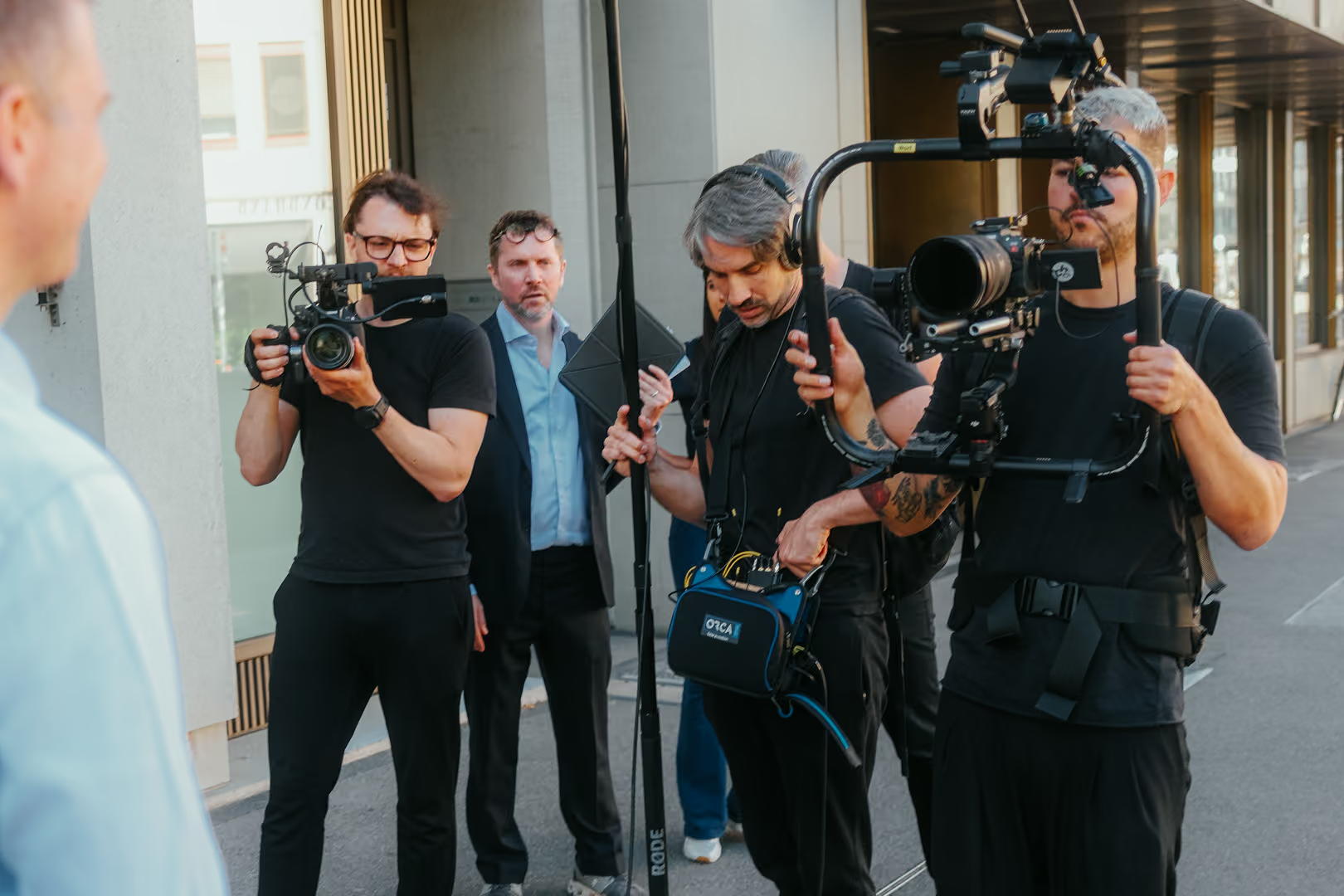
Live action explainer videos show an actual person walking through an actual process: a real workspace, real hands doing real work. The explainer videos Blank Media publishes on its own site are filmed, usually as a single, structured take with the person who knows the process in front of the camera. They are the format behind the corporate video production the studio does from Zurich for companies like BCG, IBM, KPMG, ZHAW and Sika.
A live action video reads as more credible for a B2B audience, in our experience, and its core benefits are the two things animation trades away: the viewer sees the process work the way it is described, and it is often faster to produce than a full animation. It needs professional lighting so the hands stay readable, high quality audio so the instruction does, and high definition cameras so any screen inside the shot stays legible.
The cost of that credibility is preparation. Live action footage is fixed once it is shot, where an animation can be redrawn, so the process has to be broken into filmable steps before the shoot.
Bestsmile: three filmed videos explaining one treatment process
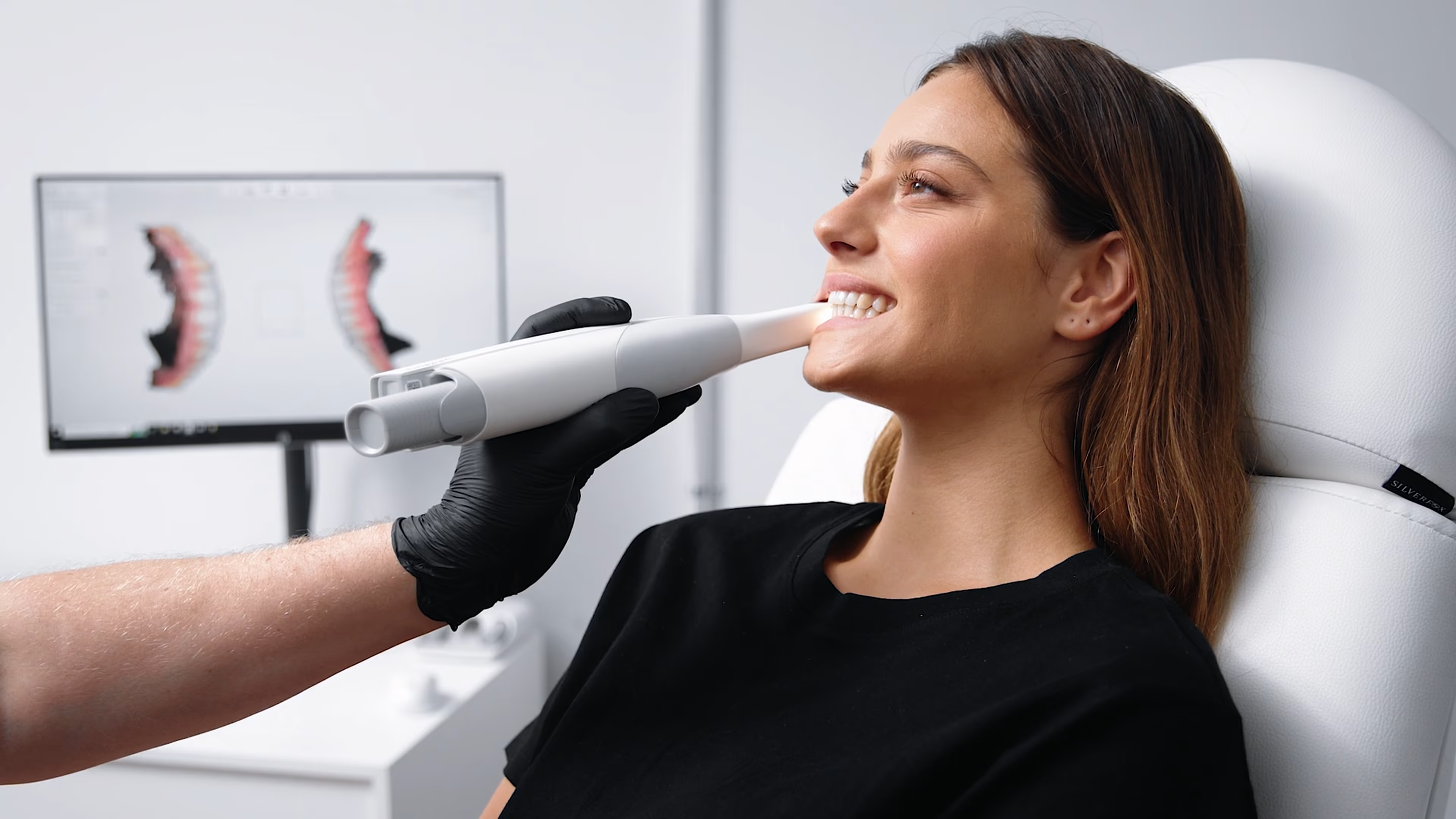
Blank Media filmed three explainer videos for Bestsmile, the Swiss aligner and veneer provider, covering the treatment from the first online click to the handover of the aligners or veneers. The videos were delivered in three languages and shot in three production days. The client's goal was that customers understand the whole treatment before they booked.
The production was the opposite of a cartoon:
- Two locations and several sets, over three production days.
- A cast and crew of more than ten people, including actors.
- A professional look the client specified as modern, clean and high-key, which keeps the video visually appealing without one animated shape.
- Three languages, with subtitle versions of each video.
Preparation is what the case study is actually about. Every step had a written screenplay and a visual concept built around the client's brand before the first shoot day. The crew was kept deliberately small, so every move on set had already been planned on paper.
The result is a compelling video library in three parts. The three videos run on the website, in social media and in advertising. The full production, with the explainer video examples themselves, is in the Bestsmile explainer video case study.
Filmed explainer video examples take one of three shapes
A filmed explainer video almost always takes one of three shapes: a single task, a multi-step process, or the answer to one recurring question. Sort any list of the best explainer video examples by what the viewer is asked to do, and the best examples land in one of these three. Knowing which one you need decides the shot list before anyone writes a script, and it tells you how many videos you are actually commissioning, which is line six of the checklist below.
The single-task how-to
Setting up a piece of equipment, completing a form, using a feature: short live video clips, one task each. The explainer video is filmed from the exact angle a viewer would need to follow along themselves, which usually means over the shoulder or straight down at the hands. Engaging visuals in a how-to are the ones the viewer can copy, and interesting footage they cannot copy is decoration.
Video examples of this shape are the easiest to find online, because every software tutorial is one. The video explains one task and answers one question. If a second question appears in the script, it is a second video.
The multi-step process walkthrough
A workflow with several stages, filmed so that each step gets its own clear shot rather than blending several steps into one continuous, hard-to-follow take. Bestsmile is this shape: three explainer videos, one stage of the treatment in each. Filmed in that easy-to-follow way, a workflow with ten stages is ten short shots.
The shape fixes the editing decision too. One video per stage lets you update a single step later without re-shooting the other videos, which matters the first time the process changes.
The troubleshooting answer
An explainer video that addresses one specific, common problem, structured around the actual question a viewer searched for rather than a general product overview. The first shot is the problem exactly as the viewer sees it, which is why the best explainer video examples of this shape open on the error message or the jammed part. The brief for this shape has one job: identify viewer pain points, then film the fix.
This is the shape with the longest working life. The same troubleshooting video answers the same customer question every time it is asked, at any hour, without a person on the other end.
What does a studio need from you before the shoot?
A studio needs four decisions from you before an explainer video shoot: the process broken into filmable steps, what the viewer already knows, the narration mode, and who is on camera. Most of them are yours, because you know the process and we do not yet.
The step most often skipped in a rushed brief is breaking the process into steps that can each be filmed, and it is the one that causes reshoots later. A filmed explainer video stands or falls on that breakdown. The other three decisions are quicker, and all four fit on the checklist at the end of this section.
Break the process into steps that can each be filmed
A process that feels obvious to someone who performs it daily usually needs to be broken into clearer, individually filmable steps for camera. The person who does it every day no longer notices half the moves, and each unnoticed move is a shot nobody planned.
Take a machine setup process as an illustration. The operator says "then you calibrate it"; on camera that is four steps: open the panel, select the mode, hold the button until the light changes, close the panel. Each of those is one shot, and the step the operator forgot to mention is where the viewer will get stuck.
Do this breakdown with someone who actually knows the process, ideally the person who will be on camera. This is where most of the real preparation work happens, and it is the part of the brief that takes longest.
Say what the viewer already knows
A brief that says "explain how to do X" leaves too much open. A brief that specifies what the viewer already knows and does not know lets us pitch the explanation at the right level, neither too basic to be useful nor too advanced to follow. It is the target audience question, asked precisely, and it also settles whether technical jargon is allowed on screen or has to be translated.
One sentence is enough. "The viewer has used the product for a month and has never opened the settings menu" tells us where to start and which shot to open on. That one line is what keeps viewers engaged, because an engaging script starts where the viewer is and skips what they already know.
Choose voiceover, on-camera narration, or text early
Each approach changes the shoot itself, so the choice belongs in the brief, before the shoot is planned.
- On-camera narration needs a confident presenter, and the words are locked the moment they are filmed.
- Voiceover, or background narration, can be recorded separately over the background music and revised more easily, and it survives translation into a second language.
- Text on screen needs the visuals to carry more of the load on their own, and it plays with the sound off, so upbeat music and sound effects pace the cut only for viewers who keep the sound on.
Deciding this before the shoot avoids costly reshoots later. Switching from on-camera narration to voiceover after the shoot leaves a presenter on screen whose mouth is moving to words you have cut.
Decide who stands in front of the camera
The right person knows the process well and can speak about it naturally, and is not necessarily the most senior person available. Technical skills and title matter less on camera than comfort and clarity.
For Bestsmile the answer was actors, because the viewer was a patient and the process was the patient's own journey. For an internal process the answer is usually the person who trains new hires, because they already explain it every week.
The checklist to send with your enquiry
Paste this into the email. Eleven lines cover the key points a studio needs to plan an explainer video shoot, and every one of them is a decision only you can make.
What does a filmed explainer video cost?
The brief decides what an explainer video costs, because it decides how many shoot days the production needs. A single-task how-to with one presenter in one room and three videos across two locations with actors are different productions, and the difference is set before the quote is written.
Five things move the number:
- Shoot days, set by the number of locations and the number of videos.
- Cast: the person who knows the process, or actors, as Bestsmile needed.
- Narration mode, because a voiceover adds a recording session and each language adds another.
- Languages and subtitle versions.
- Post-production: precise editing, colour grading, sound design and background music, graphics and subtle animations for labels, voice-over, subtitles and mastering, the same list for professional videos of any length.
The ranges themselves are in our guide to corporate video costs in Switzerland. Send the eleven-line checklist above and the quote will be specific rather than a range.
Frequently asked questions
What's the difference between a filmed explainer video and an animated one?
A filmed explainer video puts real people and real processes on camera. An animated explainer video uses 2D or 3D animation, motion graphics or character animation to show a process that has no physical form. Filmed reads as more credible for a B2B audience in Blank Media's experience and is often faster to produce than a full animation. Animation suits abstract or purely digital processes that cannot be meaningfully filmed.
How long should an explainer video be?
Effective explainer videos run one to two minutes for a single process. A longer process is better split into a short overview plus a series of focused, single-topic videos, which is why Bestsmile's treatment journey is three videos, one per stage.
Can one explainer video cover multiple related processes?
It is usually better not to. An explainer video trying to cover several processes at once tends to lose viewers partway through. A single task, a multi-step walkthrough and a troubleshooting answer are three separate videos even when they cover the same product. Each video stands on its own and can be updated on its own later.
Where are explainer videos used?
On the website, on a support or product page, in social media, in advertising and in internal training. Explainer videos are the video content that answers recurring customer questions and carries customer engagement through the hours when nobody is on the phone. Bestsmile's three videos run on the website, in social media and in advertising, with subtitle versions in three languages.
Can you film an explainer video at our offices?
Yes. Blank Media shoots on site, at your premises or a third location, and handles the permits; a filmable studio space in Zurich is available when a process is easier to stage than to visit. Most process explainer videos are filmed where the process actually happens, because the familiar context of the real workspace is part of what the viewer needs to see.